
Custom Keychains: How to Design and Order in Small or Bulk Quantities
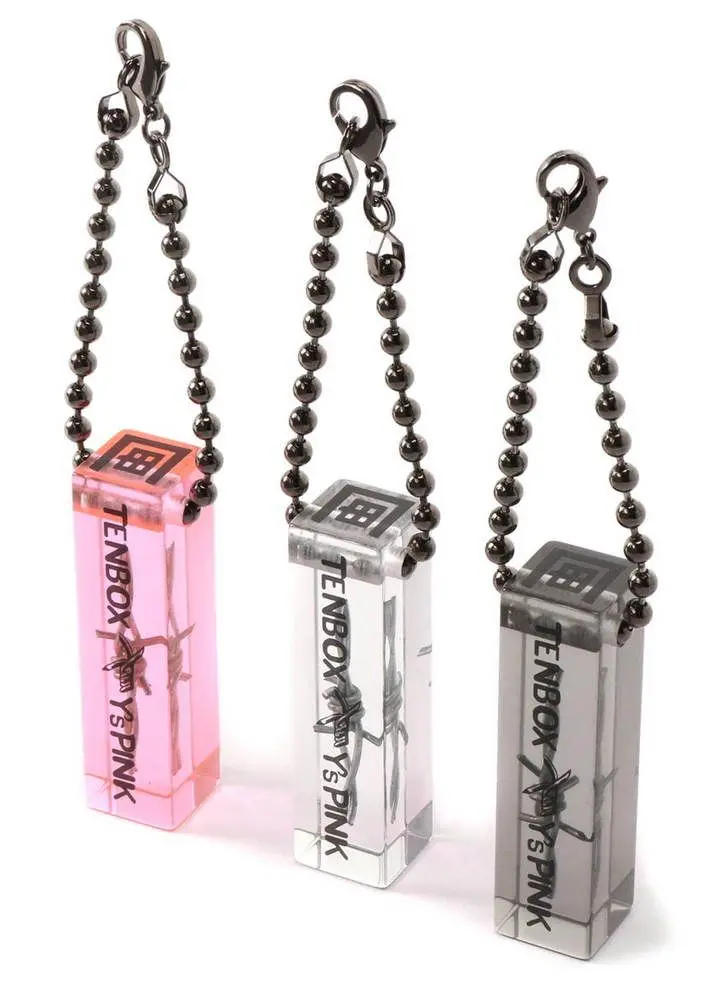
A custom keychain is a small everyday-carry accessory printed or engraved with your design. Because it travels with its owner on a set of keys or a bag, it keeps a design or brand in view far more than an item that sits on a shelf, which is part of why keychains work across personal, promotional, and retail use.
Table of Contents
- Why keychains work at every order size
- Material options and what they change
- Design and file preparation
- Ordering in small quantities
- Ordering in bulk
- What drives the price?
- What to expect on quality and turnaround
- FAQs
Why keychains work at every order size {#every-size}
Keychains sit at a useful point in custom merch: cheap enough for an impulse buy, functional enough for daily carry, and visible enough to show a design. Small businesses use them as low-cost promotional items, artists produce limited runs, event organizers make takeaways, and gaming communities design character accessories. Each of those needs a different quantity, timeline, and budget. Old manufacturing demanded large minimums because setup cost had to spread across many units; digital printing and on-demand production removed that barrier, so single orders are now viable.
Material options and what they change {#materials}
| Material | Strengths | Trade-offs | Notes |
|---|---|---|---|
| Acrylic | Handles vibrant color and fine detail, good durability for the cost | Lighter feel than metal | Standard 3mm balances durability and bulk; cut into almost any shape; full-coverage print suits gradients and complex artwork |
| Metal | Premium, substantial feel; outstanding wear and weather resistance | Heavier; engraving limits color | Engraved designs last but restrict color; brushed, polished, or matte finishes change the look; split ring, carabiner, or chain attachment |
| Plastic and rubber | Texture and raised 3D detail flat materials can't hold | Fewer color options | Bendable designs resist cracking; smooth, textured, or embossed surfaces; thickness variation creates dimensional effects |
Design and file preparation {#file-prep}
Resolution and formats. Design at 300 DPI at actual print size. Vector formats (AI, EPS, PDF) scale cleanly and print sharpest; raster formats (PNG, JPG) work but need careful sizing.
Color mode. Submit in RGB. PopEcho converts to CMYK with a calibrated profile, so your screen color stays under control through to print, and you don't have to convert files yourself.
Dimensions and safe area. Most keychain designs work best within a 2 to 3 inch maximum dimension. Build in a 2mm safe area around the edges, and keep text at least 3mm from the edge so nothing gets clipped in production.
Contrast at small scale. Thin lines and small text disappear when a design scales down, so bold and simple beats detailed and intricate. Dark backgrounds hide everyday scratches; light backgrounds keep text cleaner. Leave room for the keyring so the attachment point doesn't cut through your artwork.
Ordering in small quantities {#small-orders}
A single keychain lets you check quality, color, and how the artwork reads at real size before you commit. That suits design validation, material comparison, one-off gifts, and prototype refinement.
Small batches of 2 to 25 units add flexibility without a major financial commitment: variety packs with several designs, market tests for new concepts, or limited editions that feel exclusive. Platforms like PopEcho make small orders viable by dropping setup fees and minimums, so you pay only for what you need.
Ordering in bulk {#bulk-orders}
Bulk orders become cost-effective for consistent branding across many recipients, event merchandise, retail inventory, or team identity items. Per-unit pricing typically improves at set thresholds:
- 25+ units: first significant discount tier
- 50+ units: better per-unit pricing
- 100+ units: volume pricing
- 500+ units: maximum bulk discounts
Calculate total cost, not just per-unit price, since ordering slightly more can land a better break. Plan bulk orders ahead: lock the artwork before ordering (changes get expensive at volume), request a proof before full production, and plan how you'll store and distribute the quantity.
What drives the price? {#pricing}
- Material: acrylic typically costs less than metal or specialty materials.
- Quantity: more units, lower per-unit cost, with a meaningful gap at higher volumes.
- Design complexity: a standard rectangle or circle costs less than an intricate custom cut.
- Production method: digital printing and engraving sit at different price points.
- Turnaround: rush orders cost more.
To keep costs down without losing quality, favor standard shapes over custom cuts, single-sided over double-sided printing, and simple designs over multi-material builds, and order larger quantities once a design is proven.
What to expect on quality and turnaround {#quality}
A professional keychain order should deliver color that closely matches your design, clean edges, a secure keyring attachment, and consistency across the batch. Common issues trace back to a few causes: monitor settings shift on-screen color (order a physical sample if color is critical), a design can feel different at real keychain size than on a full screen (double-check dimensions), and small fonts are the most frequent cause of disappointing results (print a test at actual size). Weak hardware undermines an otherwise good keychain, so it's worth paying a little more for a keyring that holds up.
Typical production timelines:
- Simple designs, small quantities: 3 to 5 business days
- Custom shapes or materials: 7 to 10 business days
- Large bulk orders: 10 to 14 business days
- Rush orders: often available at premium pricing
FAQs {#faqs}
Can I order just one custom keychain?
Yes. No-minimum platforms like PopEcho let you order a single keychain to validate a design, compare materials, or make a one-off gift, using the same process and materials as a bulk run.
Which keychain material should I choose?
Acrylic for vibrant color and detail at a lower cost, metal for a premium weight and maximum durability, plastic or rubber for texture and raised 3D detail. Acrylic is the common starting point for illustrated and character designs.
What file format and resolution do I need?
Vector (AI, EPS, PDF) at actual print size gives the sharpest result; raster files should be 300 DPI. Submit color in RGB, keep a 2mm safe area, and hold text 3mm from the edge.
How many keychains do I need to order for bulk pricing?
Per-unit cost starts improving around 25 units, with further breaks at 50, 100, and 500+. Compare total cost across tiers, since ordering slightly more sometimes costs less overall.
Why does my printed keychain look different from my screen?
Monitor color and real-world scale both differ from a full-screen preview. Submit RGB so the conversion stays calibrated, and order a single sample first when exact color or fine detail matters.
Ready to design yours? Start with a single piece or a full run at popecho.art.