
Square Pin Badge File Setup: Bleed, Corners, and Laminate Choice
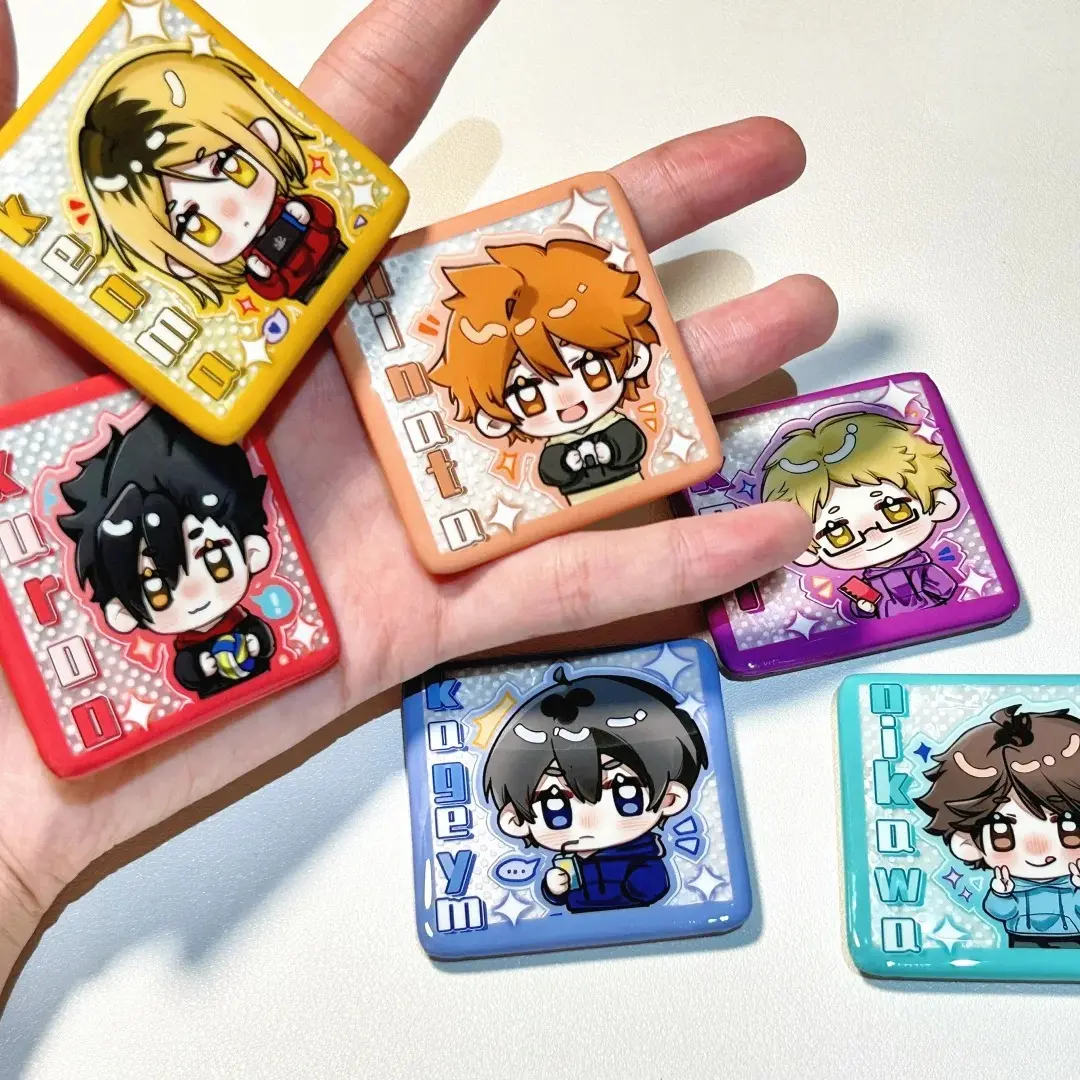
Square Pin Badge File Setup: Bleed, Corners, and Laminate Choice
The 63×63mm canvas, rounded-corner clipping, and which holo finish suits your art.
TL;DR
A 50×50mm square tin badge from Popecho is printed on an indigo 15K press and finished at 6.2mm thick with one of nine laminate options. The key production decisions are filling the full 63×63mm bleed canvas correctly, keeping critical elements clear of the rounded press corners, and choosing a laminate that works with your colour palette rather than against it. Open the product in Popecho's onsite editor, pick your laminate variant, and the safe-zone overlay loads automatically — that is the fastest path to a print-ready file.
What This Subtype Actually Demands
A square badge is not simply a circular badge with corners cut differently. The 50×50mm format invites grid-aligned type, edge-to-edge illustration, and diagonal compositions that read cleanly on a flat square canvas — but the press still rounds the corners during crimping, which clips the extreme corner zones. Treat the outermost 2–3mm of each corner as unsafe for any element you need fully visible.
The other structural reality is the crimp itself. Popecho presses a square tin shell over a printed mylar disc, and the crimp accounts for the 6.5mm bleed on every side. Artwork that does not fill the full canvas will produce a visible white gap at the badge edge after pressing. The square format makes this gap more noticeable than it is on a circular badge, because flat straight edges give the eye a clear reference line.
Setting Up the Artwork
The canvas is 63×63mm — not 50×50mm. Build your file at that full size, 300 DPI, RGB colour mode, and keep the total file under 3MB. PNG or JPG are the accepted formats.
Fill the entire canvas edge to edge. Avoid placing a hard colour-block stop near the outer boundary; if the crimp shifts by even half a millimetre, a colour bar becomes a visible seam. Let your background image or gradient run all the way out.
Popecho's onsite editor loads the die-cut outline and bleed boundary for the square badge automatically. The editor also carries a template catalog with nine configurations — one per laminate variant — so you can start from a ready canvas rather than building from zero. Select your laminate in the product options and the safe-zone overlay updates to reflect that variant, showing you exactly where the finished 50×50mm cut falls and where the bleed begins. The editor handles the geometry; your job is to keep key art and text well inside the inner safe zone before submitting.
(Symmetrical designs deserve a second look before upload — slight positional offset is a known production variable for this badge form, so visual-balance checks matter.)
Surface and Production Decisions
The indigo 15K press delivers high-resolution, vivid-colour output, but it has limits. Extreme out-of-gamut colours — super-saturated neons, fluorescents, or any channel value below 20 in a Photoshop eyedropper reading — will shift noticeably in print. If your design relies on those tones, order a single proof badge before scaling up.
The laminate choice is where this product diverges most from a standard tin badge. Nine finishes are available: high-gloss clear, soft-touch matte, standard matte, and six holographic variants including starfield, fireworks, shattered-glass, diagonal-column, holographic star, and holographic heart.
Holographic laminates are physical film layers bonded over the print. The prismatic pattern is always active, regardless of what is underneath. The most visually aggressive variants — fireworks, shattered-glass, and diagonal-column — can overpower fine linework or read as visual noise on complex illustrations. They perform best with bold, high-contrast art that has enough weight to show through the holo texture. Pale pastels or silver-heavy palettes can look washed out under these films; in that case, holographic star or holographic heart, which have gentler patterns, or soft-touch matte, which gives clean colour accuracy, are better choices.
Matte finishes — both standard and soft-touch — suppress reflection entirely and let the indigo print colours read as-is, which is useful when skin tones or subtle gradients are central to the design.
What Trips Creators Up
Near-transparent strokes disappear entirely. Semi-transparent Photoshop strokes and very pale outlines on a light background do not survive the print-and-laminate process. The mylar surface under a gloss or holo film is highly reflective, and hairline near-white lines become invisible or broken in the finished badge. Use opaque strokes with sufficient contrast.
CMYK files cause severe colour shift. The press renders CMYK as RGB, which produces a strong saturation boost across the whole design. Popecho's editor preview will show the shift before you submit — if the colours look wrong in the preview, convert the file to RGB in your design application and re-upload.
Wrong canvas size causes blur. The canvas must be 63×63mm at 300 DPI (744×744 px at that resolution). Files sized to 50×50mm or any other dimension will be resampled, and the output will be visibly soft. Build to spec from the start rather than scaling up a smaller file.
Holo laminate chosen without previewing against the art. Ordering six holographic badges across different finishes as test units — or simply using Popecho's onsite editor to preview your design against each laminate option — saves a full production round. The finish is locked at order time and cannot be changed after submission.