
Photocard Binder Cover File: The Full-Wrap Canvas
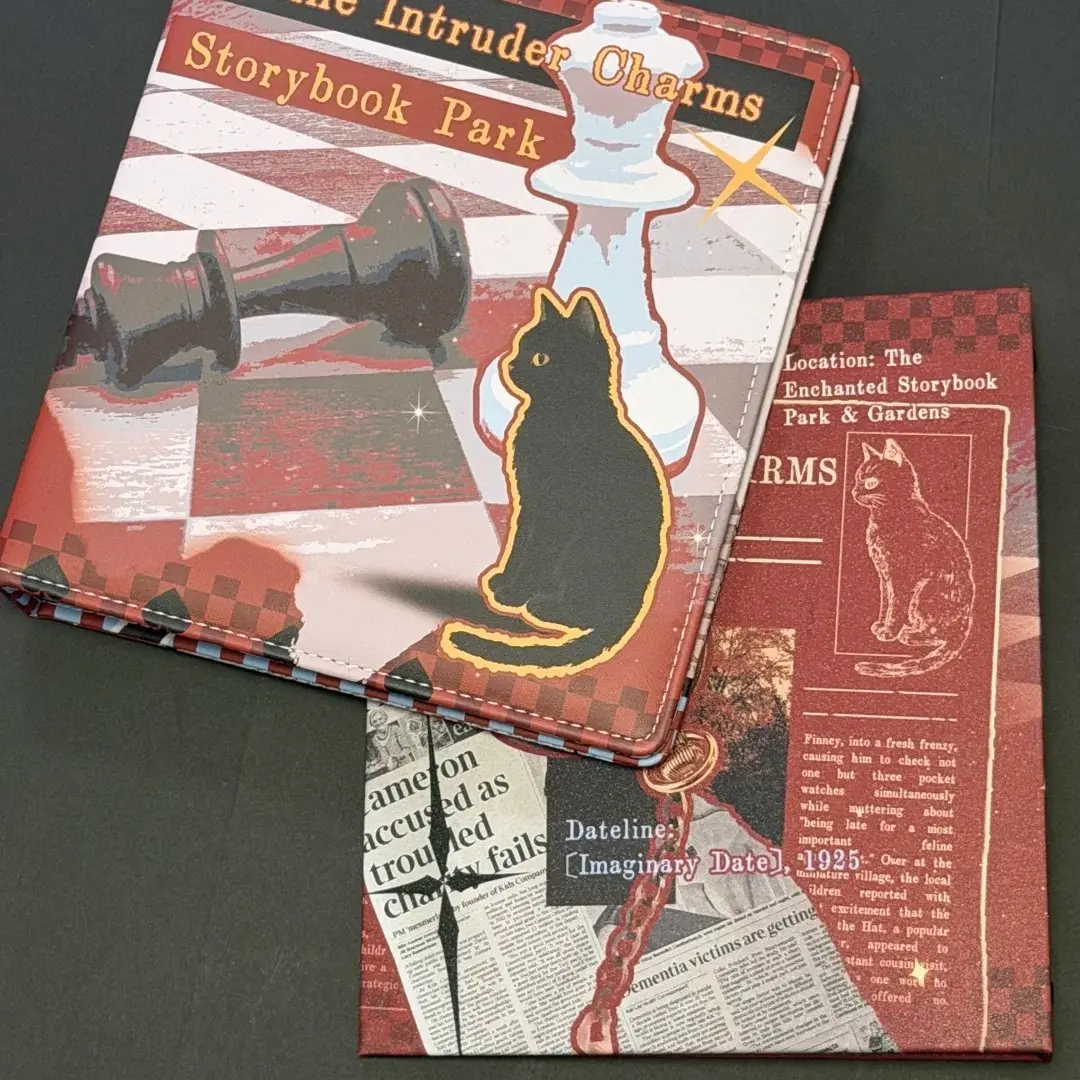
Photocard Binder Cover File: The Full-Wrap Canvas
How to lay out front, spine, and back correctly on one 595×355mm print canvas.
TL;DR
A custom photocard binder from Popecho prints your artwork directly onto the PU leather cover across one continuous 595×355mm canvas — front, spine, and back in a single file. The decision that shapes everything else is how you zone that canvas: the 55mm spine sits at centre, flanked by the front and back panels, with 10mm bleed on every edge and a 9mm safe zone inside that. Open the product in Popecho's onsite editor, position art across all three zones, stay in RGB, and submit.
What This Subtype Actually Demands
A photocard binder is not a flat-printed piece with a single focal point. Your artwork wraps continuously across a 595×355mm cover — front panel, 55mm spine, and back panel in one unbroken layout. Popecho prints that art directly onto the PU leather surface; there is no sticker, no sleeve, no insert panel involved. The inner PP sleeves you see in the product photos carry zero creator artwork — they are standard transparent card pockets included or excluded depending on the variant you choose.
That full-wrap reality changes how you plan the composition. The spine is not a trim zone to avoid; it is a live design surface, and it needs to make sense at both the narrow 55mm width and as a visual bridge between your front and back panels. Everything else — bleed, safe zone, color mode — flows from that single spatial fact.
Setting Up the Artwork
Set your artboard to 595×355mm (7028×4193px at 300 DPI). That canvas already includes the 10mm bleed on all four sides, so your actual printed and trimmed cover sits inside it at 575mm usable width.
When you open the product in Popecho's onsite editor, the three layout zones — back cover, 55mm spine, and front cover — are pre-positioned across the canvas with the bleed boundary and safe-zone overlay already in place. You do not need to calculate these from scratch. Use the overlay to confirm that every piece of text, face art, or logo sits at least 9mm inside the bleed line. Anything closer than that risks being eaten by the production trim.
Extend your background art — patterns, gradients, solid colours — all the way to the canvas edge. Any white or colour block left short of the bleed edge will show as a raw border after trimming. Submit the final file as PNG or JPG (maximum 20MB) in RGB colour mode only. CMYK files will produce an oversaturation shift when printed onto PU leather, and the preview inside the editor will not always catch this before production locks.
Surface and Production Decisions
PU leather is the surface calling the shots on colour. It is waterproof and stain-resistant in daily use, but its slight elasticity and inherent texture mean the colour you see on screen and the colour you hold are not identical. Two practical limits matter here:
Very light tones (colour values below 20%) compress toward each other on the leather surface — subtle gradients in near-white or near-pastel territory tend to flatten. Neon and fluorescent colours sit outside the gamut that PU leather printing can reproduce, and they will look duller in the finished piece than in your source file.
The hand-assembly stage introduces a second constraint. During cover wrapping, the leather is stretched slightly around the boards. Fine text or small face art placed near the spine fold can distort if it lands right at the crease. Keep any face artwork and small-detail elements well centred within their respective panel and away from the spine edge — the safe zone overlay in Popecho's editor is your reference line here.
Production lead time for this product is 15 days. Factor that into any campaign timeline, especially if you are offering the binder as a physical add-on alongside a shorter-lead item.
What Trips Creators Up
Submitting in CMYK. PU leather printing requires RGB files. CMYK submissions will produce a visible colour shift — often oversaturated — in the finished piece. Convert any CMYK source file to RGB before uploading, and double-check your export settings if you work in Adobe applications where CMYK is a common default.
Leaving background art short of the bleed edge. Any gap between your background and the canvas edge becomes a white or mismatched border after the production trim. Flood the full 595×355mm canvas with background art, even in areas you expect to be covered by design elements.
Placing key art too close to the spine fold. The 55mm spine is a live panel, but art placed at its very edges can deform when the leather stretches during hand assembly. Give anything that matters — a character face, a series title — a comfortable margin from the panel boundaries.
Expecting inner pages to carry artwork. The transparent PP sleeves included in the with-inner-pages variant are standard clear pockets. They are not printed. If your design concept relies on custom-printed insert pages, that requires a different product entirely.