
Acrylic Standee File Setup: Slot, Base, and Board Finish
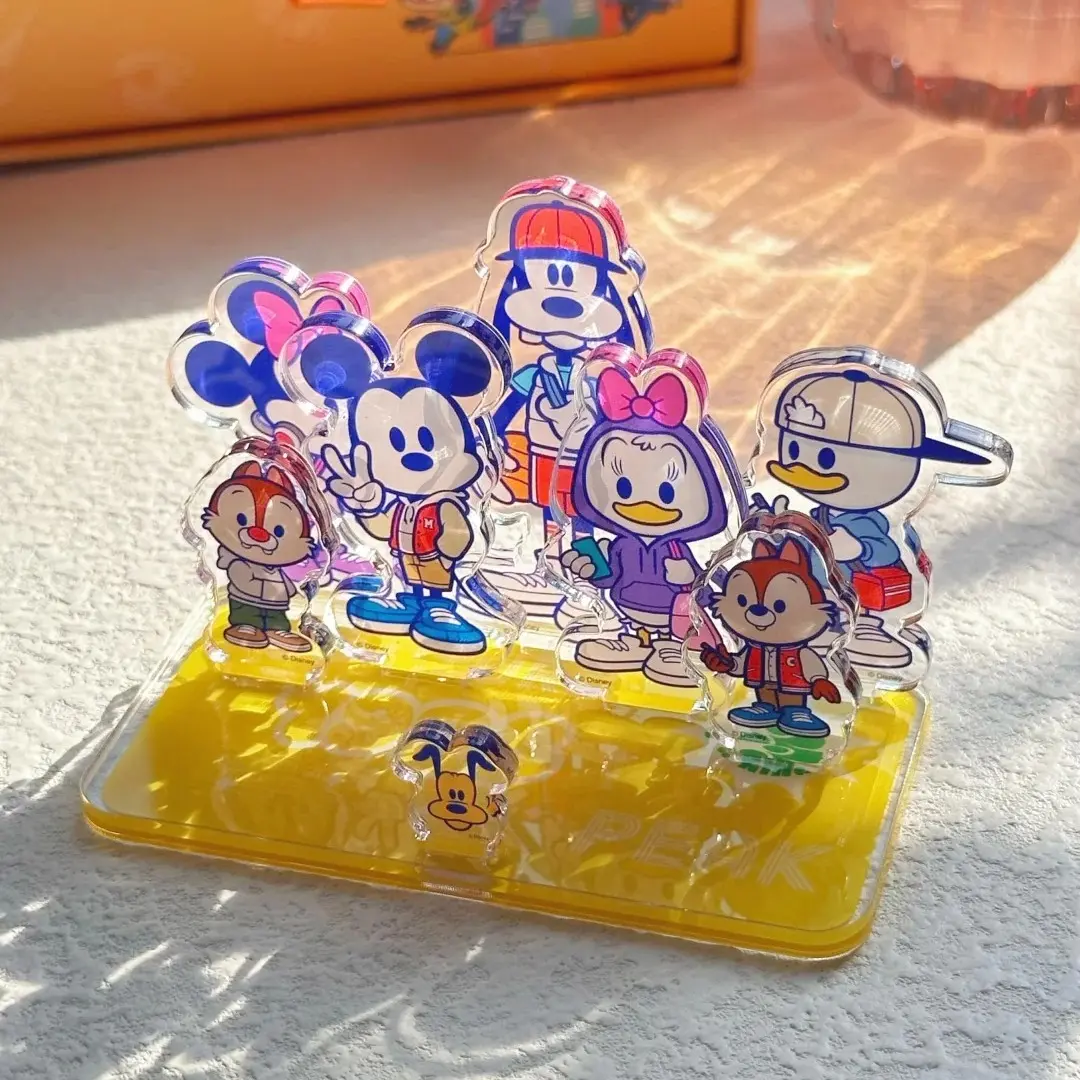
Acrylic Standee File Setup: Slot, Base, and Board Finish
Two separate artwork uploads, one slot to position — here's how to get both right.
TL;DR
A custom acrylic standee from Popecho is two distinct printed pieces — a 1mm CNC die-cut character panel and a 2.5mm PET circular base — that slot together without adhesive. The decision that shapes the whole result is board finish: clear, glitter, or rainbow holographic each changes what your transparent negative space does. Get the panel artwork into RGB at 300 DPI with a transparent background, confirm your slot position in Popecho's editor before submitting, and upload a separate file for the base.
What This Subtype Actually Demands
A single-slot acrylic standee is not one product — it is two. The character panel and the circular base are physically separate pieces that meet at a single slot channel. That construction detail drives almost every file and design decision you will make. The slot position on the panel is not fixed at center-bottom; it is adjustable inside Popecho's editor, and you need to confirm it before the order goes to production. The character panel is 1mm transparent acrylic — thin enough to flex on very large or top-heavy designs, particularly at the 15 cm size with wide lateral elements. The base is 2.5mm PET, which provides the standing stability. Both surfaces are printable and both require their own artwork upload.
Setting Up the Artwork
Open the specific size variant in Popecho's editor — the die-cut canvas for that size loads automatically with the cut boundary already visible. Add 1.5 mm bleed beyond the cut line on every side, and keep all critical linework and face details at least 2 mm inside the finished cut edge. That 2 mm safe zone is not conservative padding; CNC paths near decorative fringe or fine hairline strokes thinner than roughly 1 mm can lose those details at the edge.
For the character panel, use a transparent PNG. A solid-background JPG is technically accepted but it prints with an opaque white layer — the clear, glitter, or rainbow substrate underneath becomes invisible, and the board finish you paid for disappears entirely. Export in RGB color mode at 300 DPI, and keep the file under 4 MB before uploading.
The base is a separate artwork area inside Popecho's editor. Design it as its own file at the same DPI and color mode. The circular base dimension is fixed per size tier, and the slot channel must remain unobstructed in your base artwork. Before you finalise, drag the slot indicator in the editor to confirm its position on the panel — this is the one setting that cannot be corrected after production begins.
Surface and Production Decisions
Board finish is a material decision, not a cosmetic one. Clear acrylic reads crisp and glassy; it is the neutral choice when your character artwork carries all the visual weight. Glitter board adds a fine shimmer layer that shows through every unpainted region — design with intentional negative space if you want the effect to read. Rainbow holographic shifts hue across the panel as the viewing angle changes; like glitter, it rewards artwork that leaves breathing room rather than flooding every pixel.
The rainbow-edge effect is a separate option that adds a chromatic glow around the character silhouette by printing a rainbow foil overlay on the clear acrylic regions outside your artwork. For this to work, the background outside your character must be fully transparent in the uploaded PNG. If you choose glitter board alongside rainbow-edge, be aware that the glitter substrate is strong enough to visually overpower the foil layer — the rainbow glow becomes difficult to read.
The PET base does not accept the rainbow-edge foil process; the coloured-window effect applies to the acrylic panel only. If you plan CMYK source files, convert to RGB before upload — the colour shift on saturated hues is significant and visible in the final print.
What Trips Creators Up
Uploading a JPG and losing the board finish entirely. When the character panel file has a white or opaque background, the acrylic substrate is blocked. The glitter sparkle, the rainbow shift, the glass-clear read — all gone. Always export the panel as a transparent PNG.
Leaving the slot position at its default. The slot indicator in Popecho's editor is movable, and the default placement may not suit a character with a low center of mass or an asymmetric silhouette. Confirm slot position before submitting — it cannot be adjusted after production starts.
CMYK files causing hue and saturation deviation. Popecho's production process requires RGB. A CMYK file that looks correct on screen can print with noticeable colour shift, and artwork-origin faults are not covered by after-sale service.
Exceeding the 4 MB upload cap. The upload system rejects files over 4 MB with no partial processing. Compress the PNG before uploading — lossless compression on a transparent PNG rarely degrades print quality at 300 DPI.