
Velvet Drawstring Bag: File Setup and Print Decisions
Velvet Drawstring Bag: File Setup and Print Decisions
The drawstring channel and PNG vs JPG choice decide more than most creators expect.
TL;DR
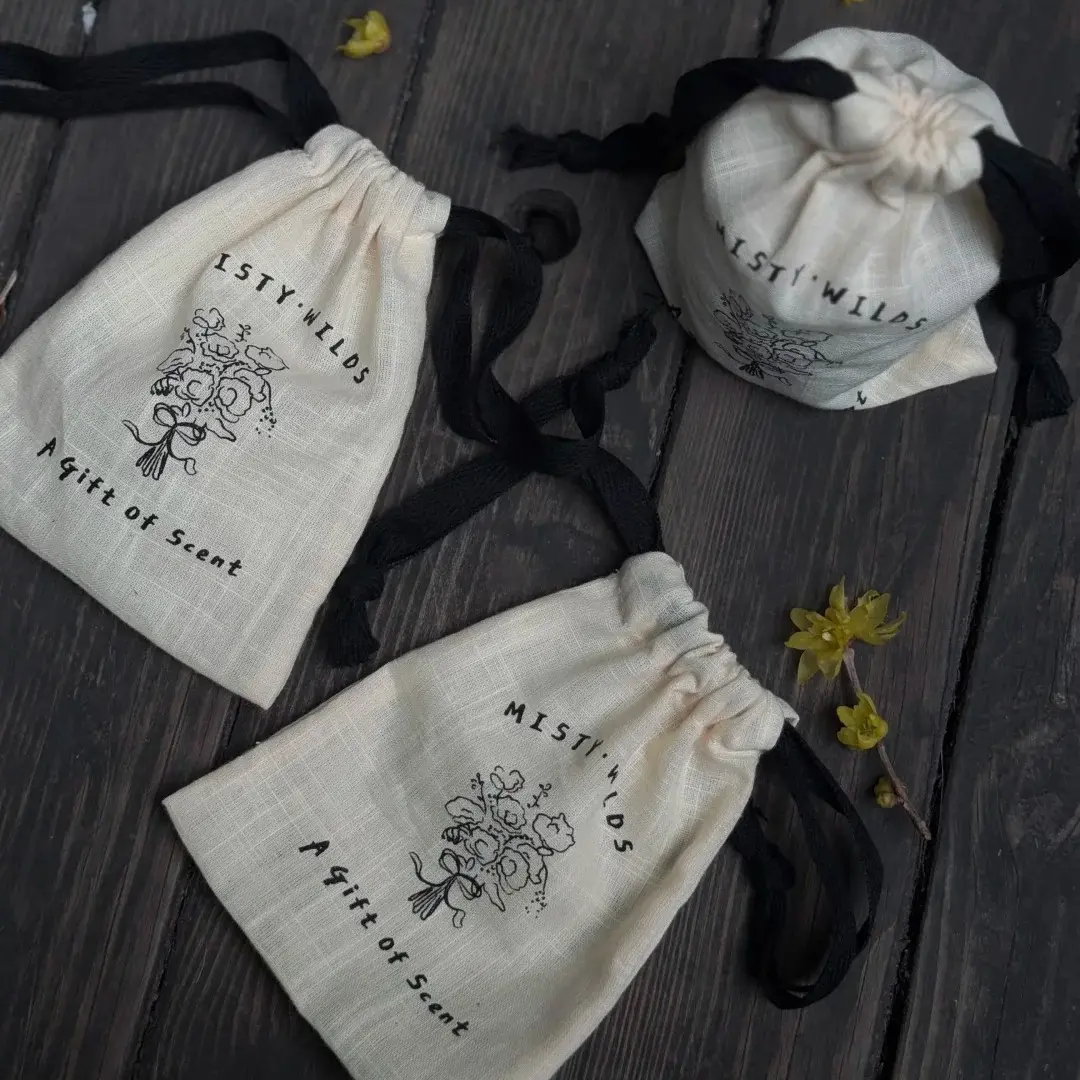
A custom velvet drawstring bag from Popecho is heat-transfer printed on a soft off-white pile fabric in two sizes — 150×220mm or 210×260mm. The two decisions that most affect the final result are: keeping artwork out of the top 2–3cm that disappears into the drawstring gather, and choosing transparent PNG over JPG so your design floats cleanly on the cream velvet ground. Open the product in Popecho's onsite editor, confirm your size variant, and your canvas is ready to paint.
What This Subtype Actually Demands
Velvet drawstring bags are functional textile objects, not flat print surfaces, and that distinction shapes every artwork decision you make. The printed face is the front panel only. The drawstring seam at the top permanently consumes roughly 2–3cm of print height — that zone gathers into the closure and stays hidden whenever the bag is held or photographed closed. What remains is the visible design window, and you need to plan your composition around it from the start.
The velvet pile itself adds a second layer of constraint. Fine detail — small text, thin line art, intricate linework below about 8pt — diffuses slightly into the nap and loses crispness at production size. The off-white cream base can also warm cool-tone palettes in the final print. This is a merch form that rewards bold, clear compositions over dense illustrated layouts.
Setting Up the Artwork
Open the product in Popecho's onsite editor and select your size variant — the canvas loads at the correct source dimensions for that variant automatically. The small bag uses a 130×165mm upload canvas against a finished cut of 150×220mm; the large bag scales up to 210×260mm finished.
Popecho's editor includes a template catalog with a starting layout for this product, which is the fastest way to see the safe zone and bleed boundary in context before you start placing artwork. The bleed is 10mm on all sides — extend any background colour or texture to that boundary so no unprinted edge appears after trimming.
Keep all critical artwork, text, and faces at least 10mm inside the bleed edge as a safe-zone floor. More importantly: treat the top 20–30mm of the canvas as a dead zone for essential content. That strip folds into the drawstring channel in use.
File requirements: PNG or JPG, RGB colour mode, 300 DPI minimum, maximum 4MB. PNG with a transparent background is strongly recommended — it gives a clean floating design on the velvet surface. A JPG prints the full rectangular image field including any background fill, which is only desirable when a solid-colour background is an intentional part of your design.
Surface and Production Decisions
Heat-transfer printing on velvet produces vivid, full-colour imagery, but velvet is not a smooth substrate. The pile creates a textured surface that slightly mutes colour at nap edges and introduces a small, expected deviation from your screen preview. Popecho's production process accounts for this, but you should not expect exact colour matching to a CMYK or Pantone reference — the output reads with a characteristic soft depth that is part of the material's appeal.
Colour mode matters at the file level. Submit artwork in RGB only. If a CMYK file reaches production, it gets converted to RGB, and that conversion can shift saturation and hue — especially in highly saturated or neon-adjacent areas where out-of-gamut values compress unpredictably. Pre-check any bright or neon passages in RGB before submitting and desaturate extremes that risk shifting.
The transparent PNG vs JPG call is an aesthetic choice, not just a technical one. PNG gives a cut-out silhouette floating on cream velvet. JPG delivers a rectangular print field — use it deliberately when you want a background colour or gradient as part of the design, not as an accidental white box around your artwork.
(Popecho produces this product in approximately 2–3 working days, with no minimum order — ordering a single sample before a full run is practical.)
What Trips Creators Up
Logo or face placed in the drawstring zone. The top 2–3cm of the print area is gathered into the closure and is not visible when the bag is in use. Move key artwork, character faces, and logos below that boundary before finalising.
Submitting JPG without intending the background. Any colour field in a JPG — including a white canvas background — prints as a solid rectangle on the velvet. If you want the design to float on the cream fabric, use a transparent-background PNG.
Highly saturated or neon colours without preview adjustment. Neon-adjacent values can shift noticeably after heat transfer onto velvet. Check saturated areas in RGB, pull back extreme values, and expect the velvet pile to add a slight muting effect on top of that.
Intricate fine detail that reads clearly on screen. The velvet nap diffuses thin lines and small text. Simplify linework, increase minimum text size to around 8pt or larger, and favour shapes with clear contrast over dense illustration.