
Crystal Transfer Sticker File Setup: What the UV Layer Demands
Crystal Transfer Sticker File Setup: What the UV Layer Demands
Transparency, silhouette cuts, and embossed relief — the decisions that change your final result.
TL;DR
Crystal transfer stickers are UV-printed onto a ~0.25 mm embossed graphic layer that bonds permanently to tumblers, glass jars, and phone cases. The decisions that matter most are simpler than they look: a transparent PNG with solid fills, RGB color mode, and artwork sized to survive the silhouette cut at whichever size variant you choose. Upload your file to Popecho's onsite editor, review the smart-crop result carefully, and confirm before production locks in.
What This Subtype Actually Demands
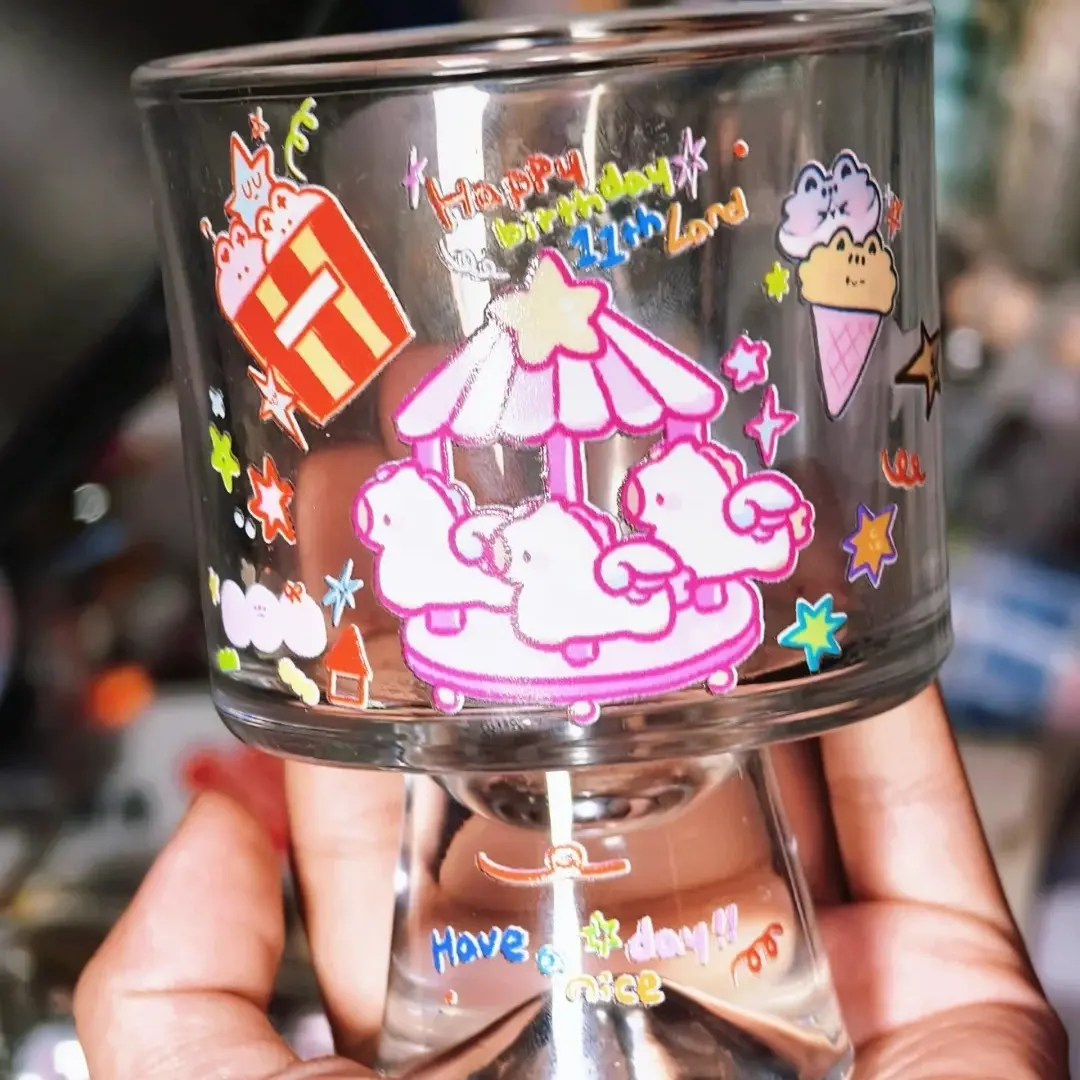
Crystal transfer stickers occupy a different category from flat vinyl decals or paper stickers. The UV process builds a measurable embossed layer — you feel the raised relief when you run a fingertip across the applied graphic. That physical dimension is the main selling point, but it carries two real constraints. First, the cut follows your artwork silhouette exactly: the 4 cm, 6 cm, or 8 cm figure is the longest edge of your actual shape, not a square sheet crop. Second, once applied to a smooth hard surface, the transfer is permanent. There is no peel-and-reposition. Creators designing for tumblers or glass jars need to account for that one-time application from the first sketch — complex silhouettes with thin protruding strands or hair tips are high-risk at the cutting stage.
Bold fills and clean outlines survive the embossed UV process much better than fine linework does.
Setting Up the Artwork
Open the product in Popecho's onsite editor and upload your file directly into the single front-surface canvas. The editor is built around a single-view layout for this product — no front/back split to manage.
Start with a transparent PNG. This is the most important file decision you will make: a transparent background lets the graphic float on the target surface after transfer. A white-background PNG or JPG is also accepted, but the white field transfers with the graphic and will be visible on the finished piece.
File requirements:
- Color mode: RGB. Convert any CMYK source file before uploading — CMYK values shift on output and colour accuracy will be off.
- Resolution: 300 DPI at your chosen output size.
- File size: under 4 MB.
- Fills: solid and fully opaque. Semi-transparent areas in the artwork print as muddy grey zones or cloudy hazes.
After upload, Popecho's editor runs an automatic smart-crop to isolate your subject. Review this result with care before confirming — fine hair, light-coloured edges against white backgrounds, and thin text strokes are the areas most likely to be clipped or blended into the removal zone. If the auto result is unsatisfactory, switch to manual editing before locking the order.
Surface and Production Decisions
The UV transfer process creates the embossed crystal-gloss finish that distinguishes this product. Colours come out vivid and edges feel tactile, but the process has limits worth knowing before you finalise art.
Size and detail threshold. At 4 cm, the effective readable area is your full artwork silhouette at that dimension — if the primary subject only occupies ~3 cm within that space, the finished sticker will read as very small. Keep critical detail centralised and sized to fill the chosen variant.
White elements. Pure white areas in artwork may print weakly or disappear into the embossed layer. If white is essential to the design, outline it inside a coloured shape so the UV layer has something opaque to anchor against.
Text. Thin-stroke or small-size text is a consistent risk. Below roughly 20 px relative to a 300 DPI upload, text can disappear or appear only as a white outline. Use bold weights and check at actual print size.
Silhouette edge complexity. The die-cut follows your artwork outline. Very thin protruding details — antenna, hair tips, narrow text strokes at the boundary — may cut ragged or be trimmed. Pull critical elements a few pixels inward from the silhouette edge.
Production lead time is approximately 23 days from confirmed artwork.
What Trips Creators Up
Semi-transparent layers in the PNG. This is the most common file error. Even a subtle drop shadow or soft-edge glow registers as a semi-transparent zone. The transfer process renders it as a white haze or muddy discolouration on the finished sticker. Flatten all layers to fully opaque fills before export.
Uploading CMYK without converting. CMYK files are accepted at upload but colours shift on output. Reds go dull, blues flatten. Convert to RGB in your design app before the file leaves your machine.
Trusting the smart-crop without reviewing. The auto background removal works well on subjects with strong contrast and clean edges. It struggles with light-coloured subjects, fine hair, or complex overlapping edges. Always zoom into the preview inside Popecho's editor before confirming — a missed clip at this stage affects the entire run.
Choosing 4 cm for a design that needs space. The 4 cm size is the longest edge of the silhouette. Detailed scenes, character groups, or multi-element compositions that are designed for a wider canvas will become illegible. Step up to 6 cm or 8 cm, or simplify the composition for the smaller size.