
Double-Layer Fleece Blanket: File Setup for Dye-Sub on Flannel
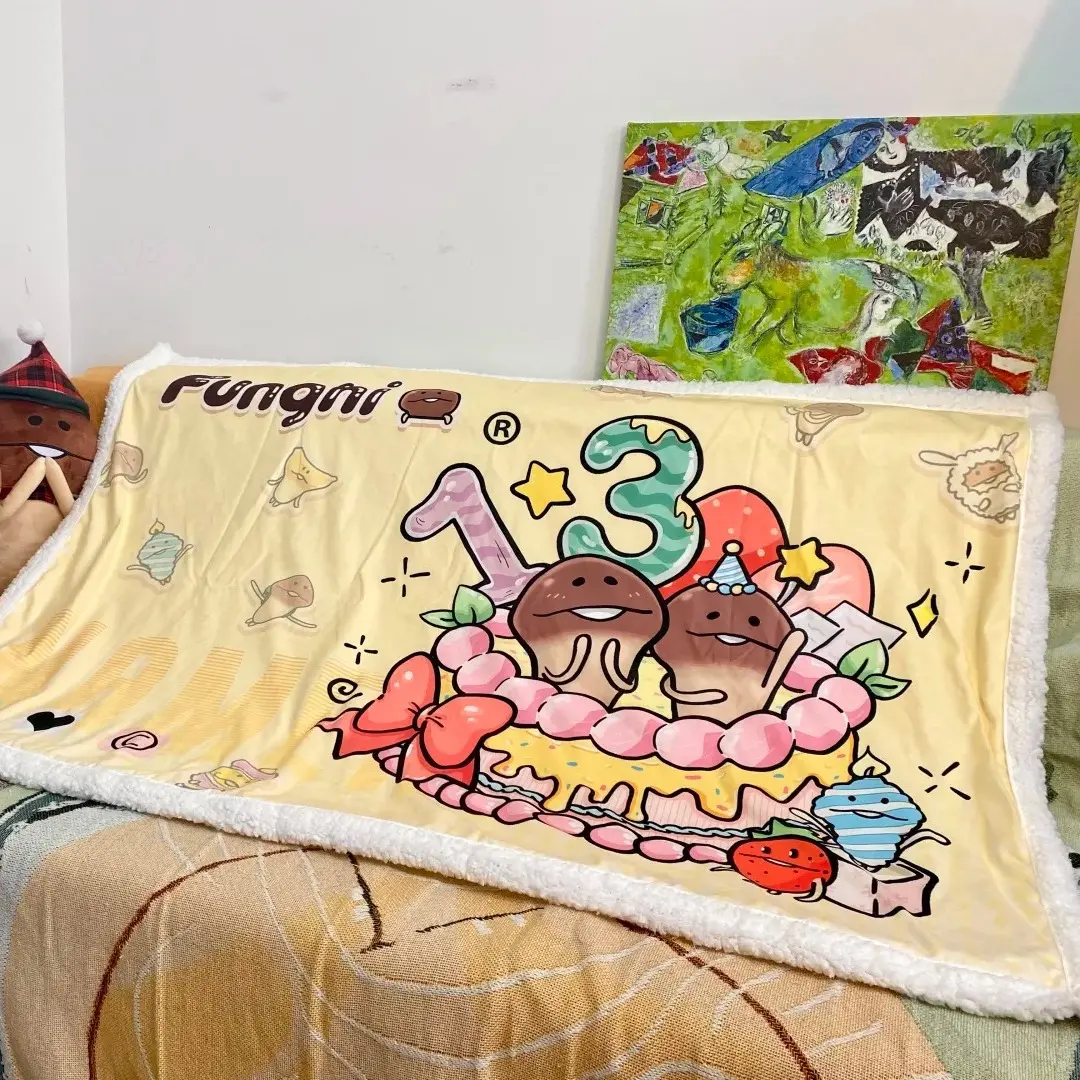
Double-Layer Fleece Blanket: File Setup for Dye-Sub on Flannel
Canvas dimensions, color mode, and fabric-print tradeoffs that decide your final result.
TL;DR
Popecho's double-layer fleece blanket bonds a 230 g flannel face to a 230 g sherpa back, printed on the flannel side only via dye-sublimation. The decision that matters most is getting your canvas pixel-exact at 300 DPI in RGB — wrong dimensions produce blurry or misfit prints, and CMYK files shift in unexpected ways on fabric. Open the product in Popecho's onsite editor to lock in your safe zone, then upload a solid-background PNG or JPG. MOQ is one unit, so a test order is always practical before a larger run.
What This Subtype Actually Demands
A double-layer fleece blanket is not a flat paper print scaled up — it is two heavyweight fabric layers sewn together, each with its own physical personality. The flannel face accepts dye-sublimation ink by letting dye penetrate the fiber pile, which produces vivid color and a subtle raised texture that flat polyester throws cannot replicate. The sherpa back stays unprinted entirely; it contributes warmth and weight, not visual real estate. That single-side print reality means every creative decision you make — palette, contrast, linework density — has to work on flannel pile, not a smooth substrate. Fabric stretch also means the finished blanket may land a few millimeters off stated dimensions, so elements placed near edges are genuinely at risk. Bold compositions centered well inside the canvas survive the process best.
Setting Up the Artwork
Canvas size is non-negotiable. The small 100×150 cm variant requires 11,811 × 17,717 px at 300 DPI; the large 150×200 cm variant requires 17,717 × 23,622 px at 300 DPI. An undersized file stretches into blur; an oversized file compresses into poor registration. Start by opening the product in Popecho's onsite editor — the editor loads the correct canvas dimensions and safe-zone overlay for whichever size variant you select, so you can see exactly how much margin the fabric edge demands before you finalize your layout.
Color mode must be RGB. CMYK files are accepted but auto-converted, and the conversion can push saturation in directions you did not choose. Prepare and export in RGB from the start.
Transparent backgrounds are not supported. Any transparent PNG gets white fill applied automatically by the system. Export a JPG or a PNG with a solid color background — whatever suits your design — rather than relying on transparency. Keep your file under 20 MB; PNG or JPG are the only accepted formats.
Surface and Production Decisions
Dye-sublimation on flannel creates a slightly three-dimensional print surface because the dye bonds with the fiber pile rather than sitting on top of it. That is a feature when your artwork uses bold lines and high-contrast color — the tactile depth makes illustrations feel premium in hand. It becomes a liability when your artwork relies on very fine linework, tiny text, or near-white gradients: fabric pile softens thin strokes, and color values below roughly 20% brightness will look washed out on the physical product.
Saturated, vivid palettes reproduce most faithfully. If your design includes pale skin tones, soft watercolor washes, or delicate gradient fades, test at reduced saturation targets and consider pulling critical tones slightly bolder than they appear on screen.
The sherpa back is unprinted, but its weight is a real logistics number. The small blanket finishes at approximately 800 g; the large at approximately 1,600 g. Factor both figures into your shipping cost estimates if you are planning a creator storefront run or event sale. Popecho produces each order in approximately 13 days and ships units inside a frosted zip bag nested in a courier mailer — the packaging holds the blanket's shape and protects the print surface in transit.
There is no white-ink layer or gilding option on this product; all color comes from the dye-sublimation process on the flannel face alone.
What Trips Creators Up
Wrong canvas size. The pixel dimensions are large by design — 300 DPI at blanket scale is a big file. Creators sometimes submit at screen resolution or resize to reduce file size. The result is visible blur on the finished product. Use the exact pixel dimensions and export at full 300 DPI.
CMYK color shift. Sending a CMYK file and expecting the auto-conversion to land accurately is a gamble. Saturation can spike or flatten unpredictably on fabric. Prepare in RGB and never rely on the conversion to correct a CMYK source file.
Transparent PNG backgrounds. A character on a transparent layer looks correct in the preview but produces a white-filled blanket behind the character after upload. Fill your background to a solid color before exporting.
Ultra-light tones in key art. Near-white gradients and very pale fills lose detail on flannel pile. If delicate tones are central to your illustration, adjust them slightly warmer and more saturated than the screen version before uploading.