
Tin Storage Box File Setup: Lid Orientation and Background Control
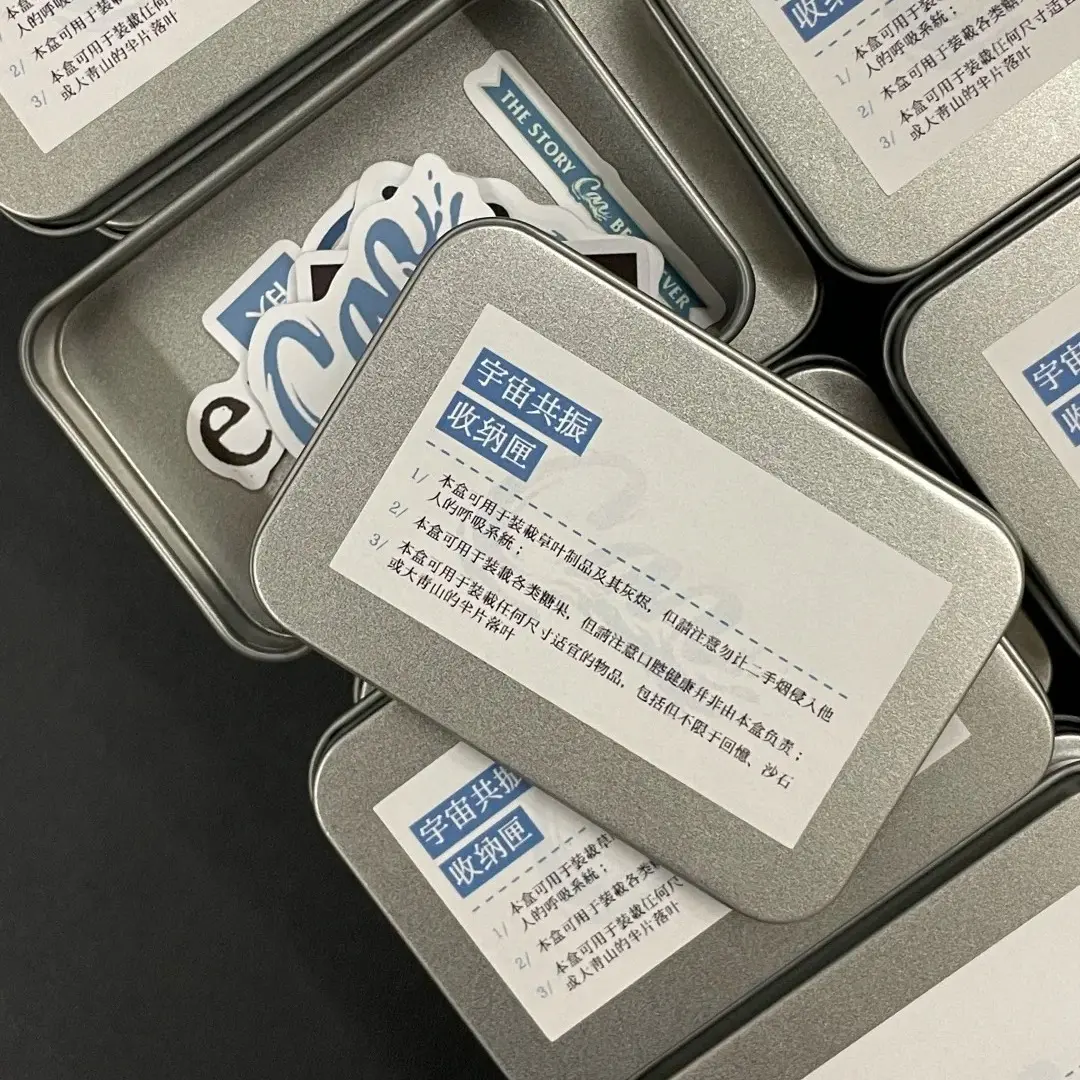
Tin Storage Box File Setup: Lid Orientation and Background Control
The two decisions that most often print wrong on a custom photocard tin box.
TL;DR
A custom tin storage box from Popecho is UV-printed on a hinged tinplate lid (80 × 110 mm printable face) on a fixed 110 × 80 × 25 mm shell. The decisions that matter most are image orientation — the lid must be rotated to face right before upload, not uploaded portrait — and background handling: transparent PNGs surrender your background color to the platform default. Open the product in Popecho's onsite editor, confirm orientation against the lid boundary, fill your background in the file, and submit a 300 DPI RGB image under 2 MB.
What This Subtype Actually Demands
A tin storage box behaves differently from every flat merch form. The printable face is the lid only — 80 × 110 mm — and the physical object around it is a rigid three-dimensional shell with a fixed 25 mm depth, a snapped hinge, and edges where ink meets formed metal. That construction introduces two constraints that don't exist on cards or prints: the lid has a correct opening direction, which means your artwork has a correct rotation in the file, and the edge where the lid meets the box body will show minor color bleed-through for full-bleed designs. Neither of these is a defect — they are what a tinplate hinged box is. Understanding them before you finalize artwork saves a reprint. The box holds roughly 50 bare photocards or 30 sleeved, which makes it a strong bundle object for photocard drops or reward tiers.
Setting Up the Artwork
Open the product in Popecho's onsite editor. The editor loads the lid print boundary for the tin box variant so you are working against the correct printable face — 80 × 110 mm — rather than guessing at canvas size. One template is available in the template catalog; starting from it puts your canvas at the right dimensions immediately.
Canvas orientation is the single most consequential file decision for this product. The correct upload position is landscape-rotated so the image faces right when the lid is open. Uploading in default portrait orientation prints sideways on the finished box. Confirm the direction in the editor before exporting.
File requirements: 300 DPI minimum, RGB color mode, JPG or PNG, under 2 MB. For background handling, fill your intended background color directly into the file. A transparent PNG hands color control to Popecho's platform default, which appears as a solid color (shown as blue in the editor preview) — not a neutral. If your design needs a white base, supply a white-background PNG explicitly. Keep all text, faces, and critical elements at least 1 mm inside every edge to clear the lid rim.
Surface and Production Decisions
UV printing on tinplate delivers full-color, high-fidelity output, but the substrate introduces a few real limits. First, color mode: CMYK files undergo automatic conversion and the hue shift on the finished lid is visible — always submit in RGB. Second, tone range: extremely pale tints below roughly 20% value lose presence on the metal surface, and super-saturated fluorescent colors also compress. Mid-to-full saturation RGB values reproduce best. Third, the metallic base material creates a very slight sheen through light ink areas — this is the nature of printing on tinplate, not a coverage failure.
For full-bleed designs where artwork runs edge-to-edge on the lid, minor color bleed-through at the front and lower edges of the physical box is inherent to how tinplate boxes are formed. It sits outside the quality-claim scope and is disclosed explicitly. If edge-to-edge consistency matters to your design, add a small margin or frame element near the lid rim so bleed-through reads as part of the design language rather than a surprise. Popecho produces each order in approximately 15 days from proof approval, with MOQ at 1 unit.
What Trips Creators Up
Wrong orientation uploads. The lid has a correct opening direction; uploading artwork in portrait orientation prints sideways. Always confirm rotation in Popecho's editor against the lid boundary before exporting your final file.
Transparent background substitution. A PNG with a transparent background doesn't print clear — the platform fills it with its own default color. Fill your background in the file itself, in the color you want, every time.
CMYK file submission. CMYK-mode artwork is auto-converted and shows visible hue shift on the finished lid. Submit in RGB. There is no recovery after production.
Ignoring the edge bleed characteristic. Artwork with important elements pushed to the very lid edge will show color bleed-through where the lid meets the box body. Pull key elements at least 1 mm inward and treat the outermost zone as a design margin, not a safe design area.