
Doll Outfit File Setup: The 65×25mm Print Zone
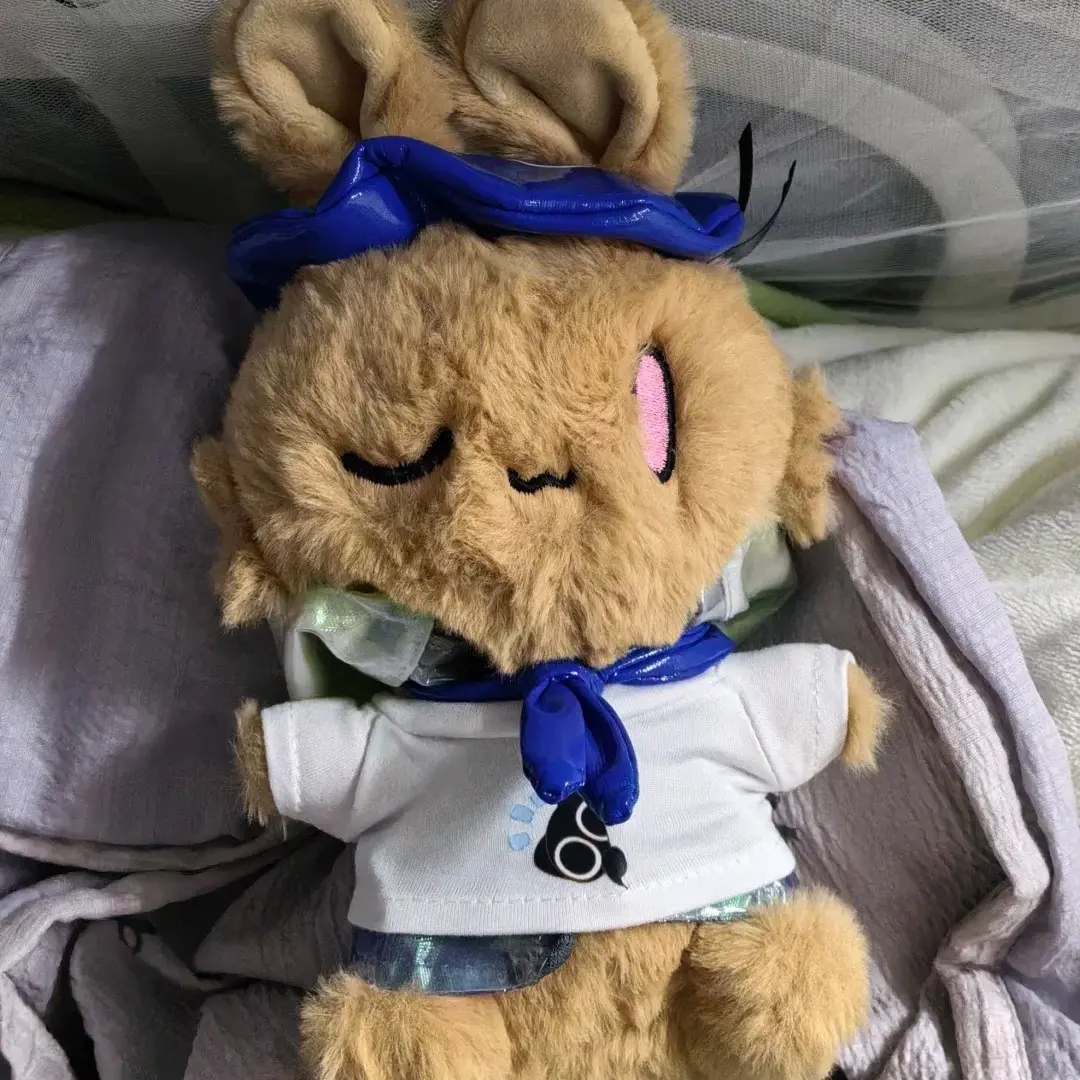
Doll Outfit File Setup: The 65×25mm Print Zone
Why center-weighted artwork and transparent PNG make or break a miniature tee.
TL;DR
A custom doll outfit for 13-17cm cotton dolls is a wearable miniature garment with a fixed 65×25mm chest print zone — not a flat substrate you can push edge-to-edge. The single decision that most changes the result is artwork composition: center-weighted designs survive seam shift; tight edge-to-edge layouts risk partial cutoff. Upload a transparent PNG at 768×295 px, RGB, 300 DPI, open the product in Popecho's editor to confirm placement against the garment silhouette, then sample one unit before scaling.
What This Subtype Actually Demands
A doll outfit is a sewn, three-dimensional garment — the print zone curves around a chest panel that is seam-bound on all sides. That physical reality changes how you should think about composition. The 65×25mm print area is precise, but it sits inside a finished garment that is only 92mm wide and 56mm long. Shoulder seams and hem seams can shift the effective print boundary by a few millimeters in either direction depending on how the garment stretches during assembly. Designs that push artwork to the outer edges of the print zone are gambling on that tolerance. Center-weighted compositions — faces, icons, and text blocks that float in the middle third of the canvas — print most reliably every time. That constraint alone shapes every file prep decision downstream.
Setting Up the Artwork
The canvas you upload is exactly 768×295 pixels (65×25mm at 300 DPI). No flexibility: oversized or undersized files lose sharpness in the finished print. Work in RGB — CMYK source files cause severe hue and saturation loss after conversion and that outcome is not a production defect, it is a file-mode error.
Format: transparent PNG is the preferred delivery. Popecho's editor auto-removes backgrounds to transparent PNG on upload, but AI cropping can be imperfect on complex artwork. If your design has fine edge detail — hair strands, thin outlines, semi-transparent gradients — pre-crop the file manually before uploading and review the live preview inside the editor before submitting.
Popecho's onsite editor loads the garment silhouette with the 65×25mm print zone overlaid for this variant, so you can see exactly where your artwork lands on the tee before confirming. There are three template starting points in the catalog — one per base color — which is useful when you want to verify how the same design reads on white versus pink versus yellow fabric before committing to a colorway. Keep the file under 2MB.
Surface and Production Decisions
The print process is white-base dyeing plus sublimation plus color lock. That three-step process produces vivid, durable color on the cotton weave, but it comes with two material realities every creator needs to understand.
First, ink absorbs into cotton fibers rather than sitting on top of them. Very fine lines and intricate micro-detail patterns soften in production — thin strokes that read crisply on screen may appear blurred or faint on the garment. Bold, clean shapes hold better at this scale.
Second, the garment base color is not neutral. The same uploaded design will print visually differently on white, pink, and yellow fabric because the fabric tone shows through the ink layer. A design with warm tones will deepen on yellow and shift cooler on white. Popecho's editor lets you toggle between the three color variants to catch these shifts before ordering.
Neon, oversaturated, and extreme-highlight colors will print noticeably muted — sublimation on cotton cannot reproduce out-of-gamut RGB values faithfully. If your palette includes heavy pipe-sugar or glow-effect tones, desaturate slightly before upload and verify the preview. Batch orders placed with unchecked saturation settings are not eligible for reprint on that basis.
Production lead time is 13 days. MOQ is 1 unit, which makes a single-unit sample genuinely practical before any bulk run.
What Trips Creators Up
Tight edge-to-edge layouts getting clipped. The 65×25mm zone is exact, but seam shift is real. Artwork that runs to the very edge of the canvas risks partial cutoff at shoulder or hem. Keep critical elements in the center two-thirds of the canvas.
CMYK files submitted as-is. Sublimation workflows expect RGB. A CMYK file that looks correct on screen will print with severe saturation loss and hue drift. Convert before upload — not after the order is placed.
Trusting the auto-crop on complex artwork. Popecho's editor removes backgrounds automatically, but AI results on fine-detail edges can miss thin lines or leave fringing. Review the cropped preview inside the editor; re-upload a manually pre-cropped transparent PNG if anything looks off.
Skipping the single-unit sample on new colorways. The same design reads differently on white, pink, and yellow bases. Order one unit per colorway before scaling to a batch — the color shift between bases can be significant enough to change whether a design works at all.