
Kiss-Cut Sticker Sheet: Shape, Crop, and Finish Decisions
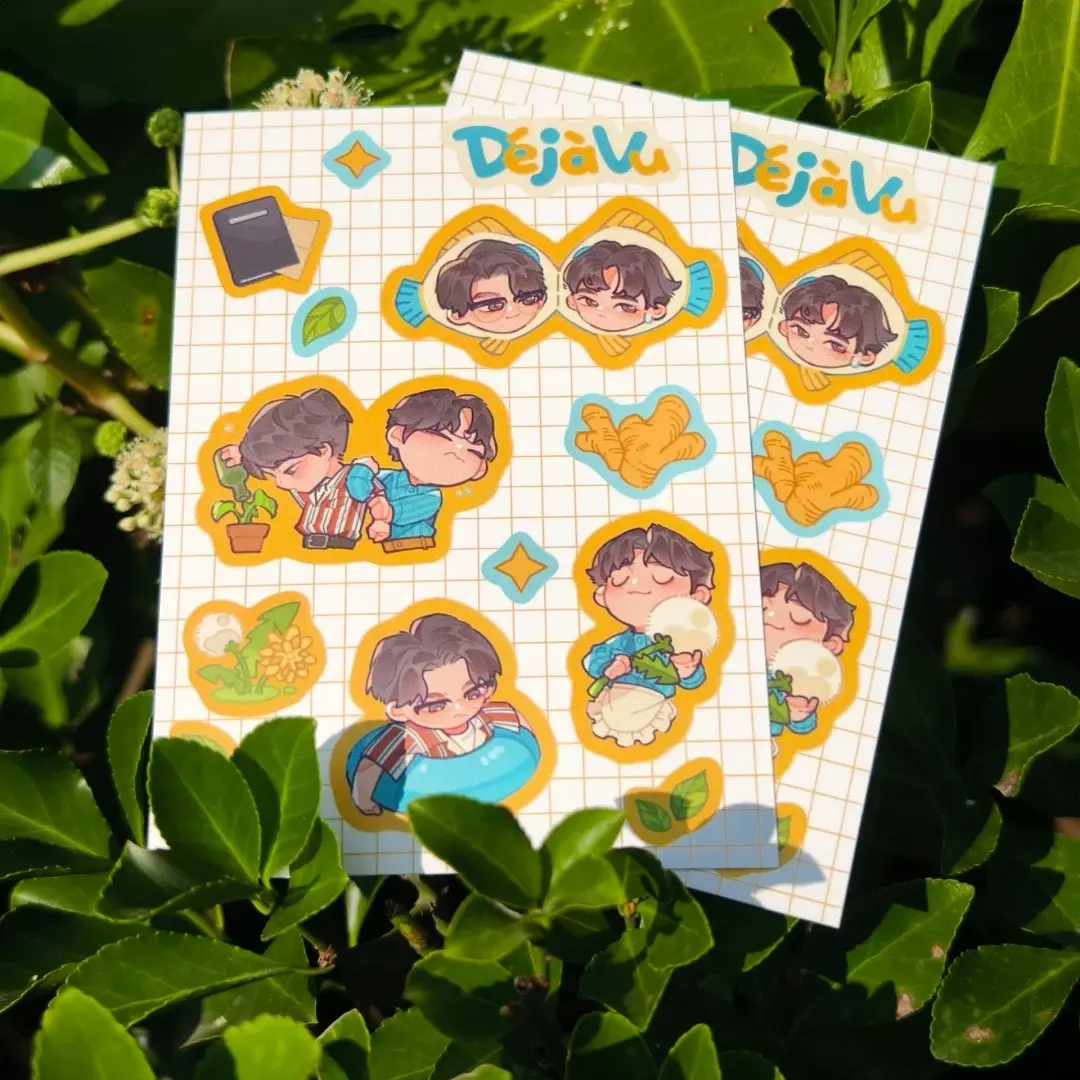
Kiss-Cut Sticker Sheet: Shape, Crop, and Finish Decisions
How art crop, RGB mode, and laminate choice determine whether your sheet peels perfectly.
TL;DR
A kiss-cut sticker sheet prints your artwork onto a sturdy 120 g coated sheet and die-cuts each sticker to its own shape — circle, heart, star, photo-booth strip, and six others — while the 100 g liner holds everything together until your customer peels. The decision that trips most creators is crop choice: at 42–60 mm per sticker, full-body art becomes unreadable. Use head-only or chibi crops, confirm pixel dimensions inside Popecho's onsite editor for your chosen shape, convert to RGB, and place a small sample run before committing to bulk.
What This Subtype Actually Demands
Kiss-cut sheets live at the intersection of two quality signals that buyers notice instantly: clean peel and sharp print. The kiss-cut (半切) process scores the face material through to the adhesive without cutting the liner, so every sticker lifts away neatly while the sheet stays intact for display in a guka binder or on a table at an event. That intact-sheet experience is the reason these are the default crafting supply in K-pop and idol fandoms — fans peel and layer stickers onto card sleeves, phone cases, and binders, and a sheet that tears or sticks at the edges reads as low quality before the artwork even registers.
The nine available shapes — including the photo-booth strip and ID-photo grid — are purpose-built for idol photocards and fan-taken concert photos, which sets this product apart from generic illustration sticker sheets. Treating them as generic is the first planning mistake creators make.
Setting Up the Artwork
Each shape variant requires a different pixel canvas, so do not guess the upload dimensions. Open the product in Popecho's onsite editor, select your shape and size (A6 at 105×148 mm or A5 at 148×210 mm), and the editor loads the correct canvas and die-cut outline for that exact configuration automatically. With 86 template variants available, every shape-size-finish combination has its own pre-loaded guide — pick from the template catalog rather than building a canvas from zero.
Resolution is 300 DPI minimum; color mode must be RGB. The 2 MB file size cap is tight enough to matter if you are working with layered composites exported at high resolution — flatten and compress before uploading.
For artwork crop, the finished sticker sits at roughly 42–45 mm on an A6 sheet and 57–60 mm on A5. That is small. A full-body idol photo at those dimensions prints as an unreadable smear of color. Use head-only crops or chibi/Q-version artwork so the face reads clearly. The safe zone boundary visible inside the editor marks where critical detail must stay — keep eyes, text, and focal elements well inside it, not touching the die-cut edge. Use PNG for any artwork with a transparent background so the sheet color reads correctly around the cut shape.
Surface and Production Decisions
The substrate — 120 g coated paper over a 100 g release liner — is noticeably thicker than standard sticker sheets. That weight is a feature: it gives the sheet structural rigidity and the individual sticker a premium peel feel. No artwork adjustment is needed to account for it, but factor the extra grams into postage calculations when shipping bulk orders internationally.
Laminate choice changes the perceived artwork more than any other variable. Gloss deepens contrast and saturation; matte softens and flattens; holographic variants (star, dot, shattered-glass, starlight) overlay a prismatic shift that can alter how mid-tones read. On holographic laminates especially, the printed color you see on screen will look different under shifting light — this is not a production error, it is the material behaving correctly. If color accuracy is critical for skin tones or brand colors, order a single-sheet sample before committing to a bulk run. Popecho's production lead time is 20 days, so build sample verification into your project timeline, not around it.
What Trips Creators Up
Full-body art uploaded at sticker size. A character or idol that fills a 2000×2000 px canvas looks sharp on screen but prints at roughly 45 mm tall. Eyes disappear. Text becomes illegible. Crop to head-only or switch to a chibi version before upload.
CMYK files submitted instead of RGB. Saturation multiplies unpredictably when a CMYK file is processed in an RGB pipeline. The cart preview may look fine, but the printed sheet will be visibly oversaturated or color-shifted. Convert every source file to RGB before uploading — there is no correction step after production starts.
Extreme colors skipped through the sample stage. Fluorescent colors and near-white tones with channel values below 20 reproduce outside Popecho's standard color warranty scope. These are the exact cases where a small sample run pays for itself.
Assuming one pixel canvas fits all shapes. The circle, the photo-booth strip, and the ID-photo grid all have different upload dimension requirements. Popecho's onsite editor resolves this automatically — but only if you open the specific shape variant before placing artwork, not after.